Key Takeaways
- Hardware wallets keep your crypto offline and protected from online attacks.
- Proper setup—seed phrase, PIN, and device verification—is the core of secure self-custody.
- In 2025–2026, hardware wallets remain the safest tool for long-term crypto storage.
Why Hardware Wallets Matter More Than Ever in 2025–2026
As crypto adoption accelerates into 2025 and 2026, security is no longer optional—it’s a survival skill. High-profile exchange breaches, wallet hacks, and growing regulatory pressure have pushed investors toward stronger self-custody solutions. And at the center of that shift is the hardware wallet.
Understanding how to use a hardware wallet today is not just about storing assets offline. It’s about taking full control of your digital identity, your tokens, and your long-term financial independence. Whether you hold Bitcoin, Ethereum, stablecoins, or growing multichain portfolios, hardware wallets provide a layer of protection that online tools can’t match.
This guide breaks down how hardware wallets work, how to set one up correctly, and what best practices matter in 2025 and 2026.
What a Hardware Wallet Actually Does—and Why It’s Safer
A hardware wallet is a physical device that stores your private keys offline. Unlike mobile or desktop wallets, your keys never touch the internet. Even when connecting the device to a laptop or phone, the signing process happens in the hardware wallet itself, making it extremely difficult for attackers to intercept or duplicate your keys.
In 2025 and 2026, major brands like Ledger, Trezor, Keystone, and GridPlus have introduced improved chips, open-source security layers, and updated firmware to counter evolving threats. The biggest advantage remains constant: your crypto stays in your custody, not on an exchange where you rely on someone else’s security practices.
A hardware wallet protects you from:
- Malware attempting to access wallet files
- Phishing sites that mimic exchanges
- Exchange collapses or insolvency
- SIM-swap attacks on SMS or mobile wallets
In short, the device isolates your keys from the digital chaos around you.
How to Use a Hardware Wallet: A Clean, Step-by-Step Breakdown
1. Set Up the Device and Create a Recovery Seed
When you unbox your hardware wallet, you’ll be guided through an initialization process where the device generates a recovery seed phrase—typically 12, 18, or 24 words. This phrase is the master key to your crypto. Anyone with these words can access your funds, even without the device.
In 2025, many wallets now offer optional seedless recovery through secure sharding or encrypted backups, but the traditional seed phrase remains the standard. Write the words down on paper or a metal backup plate—never store them digitally, never take a photo, never upload them to the cloud.
Your seed phrase must stay offline at all times.
2. Create a PIN and Enable Additional Security
Next, you’ll set a PIN code on the device. Many users overlook PIN strength, but it is your first line of defense if the device is lost or stolen. Some hardware wallets now offer passphrases—an optional “25th word” that creates an extra hidden wallet. For long-term storage of high-value crypto, activating a passphrase is increasingly recommended.
3. Install the Companion App and Connect the Device
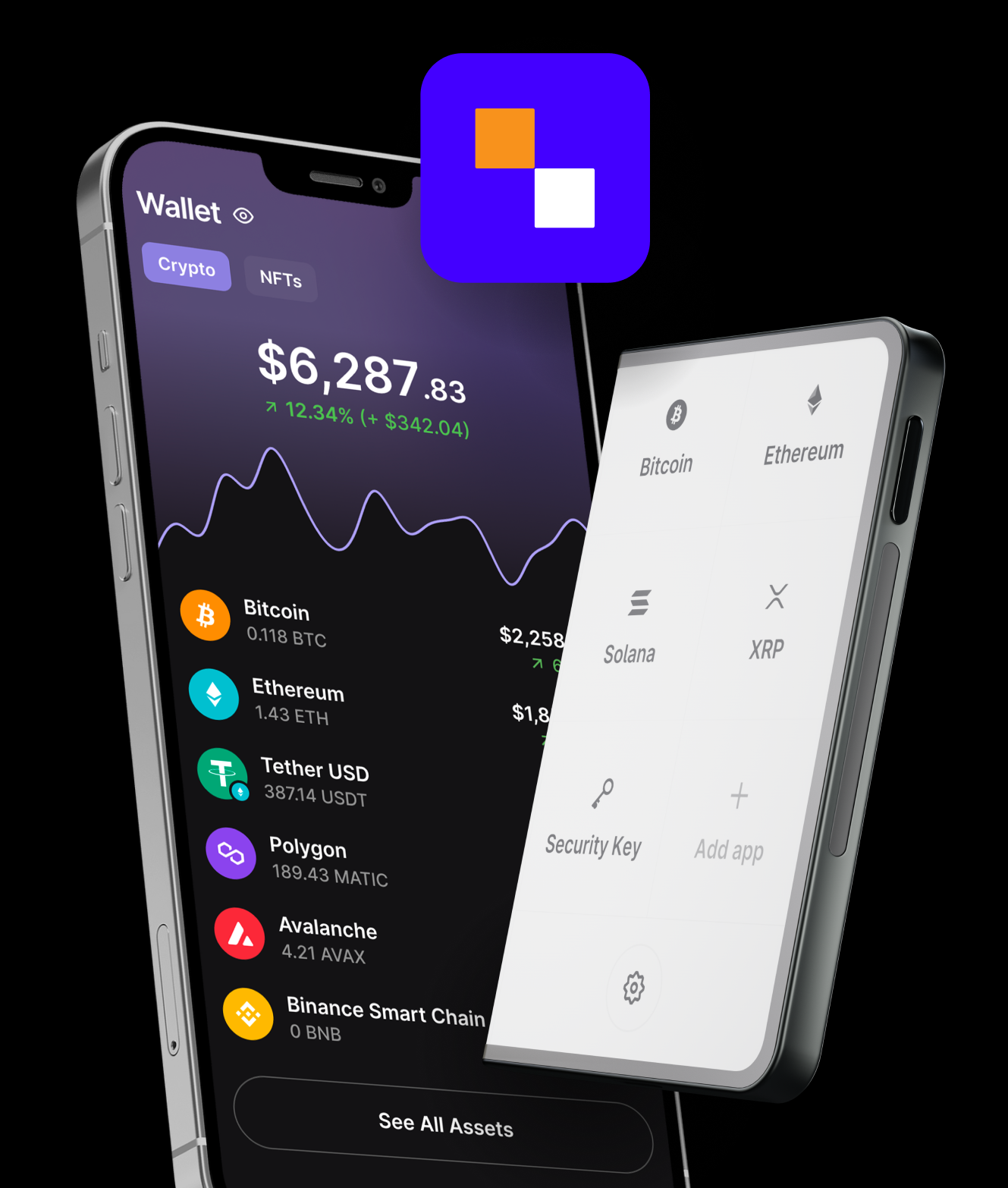
Every hardware wallet pairs with a companion app on desktop or mobile. The app handles the interface, balance display, and transaction history, while the device handles key security.
In 2026, companion apps are expected to integrate more seamlessly with multichain ecosystems, decentralized finance (DeFi) dashboards, and NFT tools. But one rule never changes: the app can show your data, but it cannot sign your transactions without physical confirmation from the hardware wallet.
Connecting the device is simple—usually via USB-C or Bluetooth, depending on the model.
4. Add Your Crypto Accounts and Receive Funds
Once connected, you can add accounts for Bitcoin, Ethereum, Solana, or any supported chain. To receive crypto:
- Open the wallet app
- Select the asset
- Click “Receive”
- Confirm the displayed address on both the app and the hardware device
The double-confirmation step protects you from malware that could alter addresses on your computer screen.
5. Send Funds Securely
When sending crypto, the hardware wallet requires you to physically confirm the transaction details on its screen. This physical confirmation is what makes the system secure: a hacker cannot broadcast a transaction without your device approval.
In 2025–2026, hardware wallets increasingly support:
- On-device NFT previews
- Native staking for multiple chains
- Multi-sig coordination
- Layer-2 rollup transactions
- Cross-chain swaps via secure integrations
But the golden rule remains simple: verify all details on the hardware wallet screen before approving.
Best Practices for Using a Hardware Wallet in 2025–2026
Because crypto security evolves quickly, best practices have expanded. The following principles matter more than ever as markets scale:
Keep Your Seed Phrase Offline and Redundant
Store your recovery phrase in two physically separate, secure locations. Metal plates are widely preferred in 2025, especially for climate or fire protection.
Run Regular Firmware Updates
Hardware wallet makers push updates to close vulnerabilities. Staying outdated exposes your device to known risks.
Avoid Plugging Into Unknown Computers
Public or untrusted machines increase the likelihood of USB-based attacks. Always use your own phone or laptop.
Verify Every Address Physically
Never rely solely on what your computer shows—confirm on the device.
Use a Hidden Passphrase for High-Value Storage
For investors planning to hold large amounts through 2026’s bull cycle, an additional passphrase creates an invisible, extra-secure account.
Why Hardware Wallets Will Be Even More Important by 2026
As DeFi grows, smart contract wallets become more powerful, and cross-chain activity accelerates, the attack surface also expands. The more that wallets integrate with platforms, the more opportunities hackers have to exploit weak points.
Hardware wallets remain the anchor of personal crypto security because they eliminate the most critical risk: exposure of private keys. Even with advanced account abstraction and automated smart accounts emerging in 2026, hardware wallets continue serving as the root of trust for serious crypto users.
The shift toward self-custody has also become cultural. Regulators worldwide increasingly emphasize investor responsibility, and exchanges continue to restrict withdrawals or face legal issues. In this environment, owning a hardware wallet is not just a choice—it is a necessity.
Conclusion: Take Control of Your Crypto Security
Learning how to use a hardware wallet in 2025 and 2026 gives investors more than storage. It gives them autonomy. With offline key protection, physical confirmation, and robust backup systems, hardware wallets remain the most reliable way to manage crypto safely.
As digital assets continue to expand into everyday use—payments, identity, gaming, and tokenized real-world assets—secure self-custody becomes the backbone of financial independence.
If you want your crypto investments to outlast market cycles, a hardware wallet should be part of your setup today—not later.