Key Takeaways
- A hardware wallet stores your crypto offline, keeping it safe from hackers and exchange failures.
- Correct setup and secure storage of your recovery phrase are essential for protection.
- In 2025, modern hardware wallets are easier to use, mobile-friendly, and compatible with most blockchains.
What Is a Hardware Wallet?
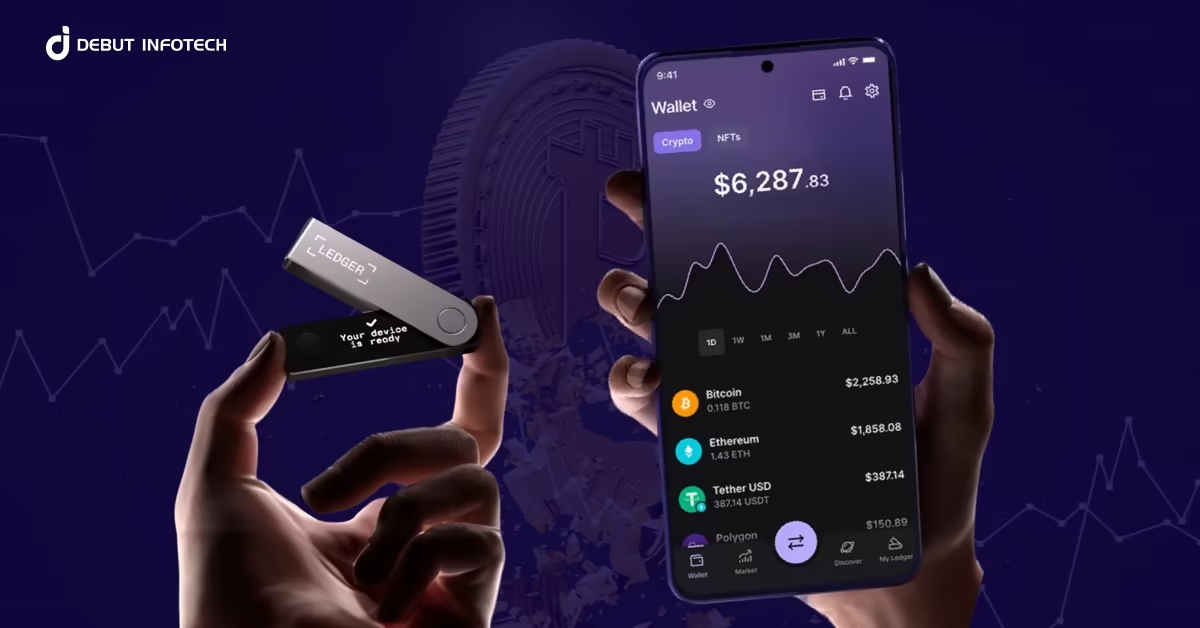
A hardware wallet is a physical device that securely stores your private keys offline. It’s often called “cold storage” because it isolates your crypto from the internet—protecting it from hackers, malware, or phishing scams.
Unlike an exchange or software wallet (which keeps your keys on a server or online), a hardware wallet ensures you are the only one with access to your funds.
Think of it as a digital vault. Even if your computer or phone is compromised, your crypto remains safe inside your wallet—locked by encryption and hardware protection.
In 2025, hardware wallets like Ledger Nano X, Trezor Model T, and Keystone Pro continue to set the standard for secure self-custody.
Why Use a Hardware Wallet in 2025?
After several years of exchange hacks and platform collapses, self-custody has become a central theme in crypto. Investors now prioritize control over convenience.
Here’s why hardware wallets are essential:
- Offline Protection: No internet access means no remote hacking.
- Private Key Ownership: Only you can authorize transactions.
- Security from Exchange Risks: Protects against exchange shutdowns, insolvency, or frozen withdrawals.
- Compatibility: Works with most coins, NFTs, and DeFi protocols.
With crypto adoption surging in 2025, regulators are tightening KYC and custody laws. Hardware wallets give users a way to stay compliant while retaining self-ownership of digital assets.
How to Use a Hardware Wallet (Step-by-Step)
Setting up a hardware wallet is straightforward—but must be done carefully. Follow this process to ensure complete safety.
Step 1: Buy Only from the Official Source
Purchase your wallet directly from the manufacturer’s website or a verified reseller. Avoid second-hand or open-box units.
Counterfeit hardware wallets are a growing scam risk in 2025—they may come with pre-loaded malware or tampered chips.
Popular official sources include:
Step 2: Unbox and Verify
When you receive your wallet:
- Check that the packaging is sealed and untampered.
- Confirm the serial number and holographic seal (if included).
- Plug it in only after confirming authenticity on the manufacturer’s website.
Step 3: Set Up the Device
Connect your hardware wallet via USB (or Bluetooth, for some models) to your computer or smartphone. Follow on-screen prompts from the official wallet app, such as Ledger Live or Trezor Suite.
You’ll be guided to:
- Create a new wallet (generate new private keys)
- Set a PIN code (usually 4–8 digits)
- Write down your recovery seed phrase (12, 18, or 24 words)
Important:
- Write your seed phrase on paper, not digitally.
- Never take a photo or store it online.
- Keep it in a secure, offline place (like a safe or safety deposit box).
Your recovery phrase is your lifeline—it restores your wallet if the device is lost, stolen, or damaged.
Step 4: Install the Wallet App
Most hardware wallets come with companion software that connects your device to the blockchain.
Examples include:
- Ledger Live (for Ledger devices)
- Trezor Suite (for Trezor wallets)
- Keystone Companion App
Use these apps to view balances, send or receive crypto, and connect with DeFi or NFT platforms.
Step 5: Receive Crypto to Your Wallet
To transfer crypto to your hardware wallet:
- Open the wallet app.
- Select “Receive.”
- Copy your public address (never the private key).
- Paste this address into your exchange withdrawal field.
Send a small test transaction first to verify it arrives safely before transferring larger amounts.
Step 6: Send Crypto Safely
When you want to send crypto:
- Open the app and choose “Send.”
- Enter the recipient’s wallet address.
- Confirm the transaction details on your hardware wallet screen (not just on your computer).
- Physically press the confirm button to approve.
This final confirmation ensures your funds cannot be moved without your physical approval—a critical layer of protection against remote attacks.
Best Practices for Using a Hardware Wallet in 2025
- Never Share Your Recovery Phrase
No company or support agent will ever ask for it. Sharing it = losing your funds. - Keep Backup Copies in Different Locations
Consider a metal seed backup for extra durability against fire or water damage. - Update Firmware Regularly
Manufacturers release updates to patch vulnerabilities—apply them via official apps only. - Verify Every Transaction on the Device Screen
Attackers can manipulate on-screen info on your computer, but not the device’s own display. - Avoid Plugging Into Untrusted Devices
Only connect to your own computer or smartphone to minimize malware risk. - Consider Using Multiple Wallets
Separate daily funds (hot wallets) from long-term holdings (cold storage).
Hardware Wallets and the Future of Self-Custody (2025 and Beyond)
In 2025, hardware wallets have become more user-friendly and interoperable. Many now integrate directly with Layer 2 networks, NFT marketplaces, and mobile DeFi apps.
Some advanced wallets feature biometric security, air-gapped QR systems, and multi-signature recovery, making them even more resilient.
As decentralized finance expands and users demand privacy and autonomy, hardware wallets are evolving from niche tools to mainstream financial security devices.
The shift to self-custody is no longer optional—it’s becoming a best practice for anyone serious about long-term crypto ownership.
Conclusion: Your Keys, Your Crypto
Learning how to use a hardware wallet is one of the smartest moves any crypto investor can make in 2025.
By taking your assets off exchanges and into secure cold storage, you gain true control—and protection—from the risks that come with centralized platforms.
Follow best practices, keep your recovery phrase safe, and update your firmware regularly. With these steps, you’ll ensure your digital wealth stays secure, accessible, and truly yours in the decentralized future ahead.