Key Takeaways
- Transferring crypto from an exchange to a personal wallet gives you full control and security over your assets.
- Always double-check wallet addresses, network compatibility, and transaction fees before sending.
- Using hardware or reputable software wallets adds an extra layer of protection for long-term storage.
Why Moving Crypto to a Wallet Matters
As cryptocurrencies continue to mature in 2025 and 2026, controlling your own funds has never been more important. Leaving assets on exchanges exposes them to potential hacks, regulatory freezes, or service outages. Transferring crypto to a personal wallet—whether software-based or hardware-secured—gives you true ownership, enhances security, and supports decentralized finance participation.
Personal wallets are non-custodial, meaning only you control the private keys. With this control comes responsibility: losing your private key could mean losing access to your crypto permanently.
Step 1: Choose the Right Wallet
Before initiating a transfer, decide which wallet suits your needs:
- Hardware Wallets: Devices like Ledger or Trezor store crypto offline, providing the highest security. Ideal for long-term storage or large holdings.
- Software Wallets: Mobile or desktop wallets such as MetaMask, Trust Wallet, or Coinbase Wallet are convenient for everyday transactions and DeFi interaction.
- Multi-Asset Support: Ensure your wallet supports the specific cryptocurrency and network you plan to transfer.
Step 2: Obtain Your Wallet Address
Every wallet has a unique public address, a string of letters and numbers that identifies where your funds should go.
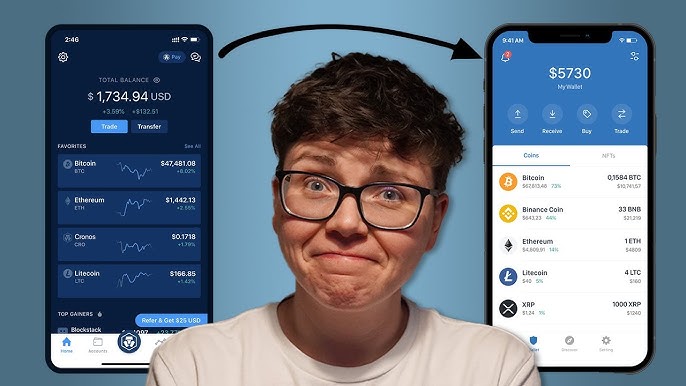
- Open your wallet and select the cryptocurrency you want to receive.
- Click “Receive” or similar option.
- Copy the displayed wallet address carefully—even a single wrong character can result in permanent loss of funds.
Pro tip for 2025–2026: many wallets now allow QR code scanning to reduce human error.
Step 3: Initiate the Transfer on the Exchange
- Log in to your cryptocurrency exchange account.
- Navigate to Withdraw or Send Crypto.
- Select the cryptocurrency you wish to transfer.
- Paste your wallet address in the recipient field.
- Choose the correct network (e.g., Ethereum for ERC-20 tokens, BNB Chain for BEP-20 tokens). Using the wrong network can result in lost funds.
- Confirm the amount, check transaction fees, and submit the transfer.
Pro tip: Start with a small test transaction if sending a large amount. This ensures the address and network are correct without risking significant funds.
Step 4: Confirm the Transaction
After submission, exchanges provide a transaction ID (TXID) or hash. You can:
- Track the transfer on a blockchain explorer (e.g., Etherscan for Ethereum, BscScan for BNB Chain).
- Monitor your wallet until the funds appear. Depending on network traffic, transfers may take anywhere from a few minutes to an hour.
Security reminder: Never share your private key or seed phrase with anyone during the transfer.
Step 5: Secure Your Wallet
Once the transfer is complete:
- Enable two-factor authentication on software wallets.
- Keep a secure backup of your wallet seed phrase offline.
- For hardware wallets, store the device in a safe location.
These steps reduce the risk of theft, loss, or accidental deletion, which is crucial in 2025–2026’s increasingly decentralized crypto ecosystem.
Conclusion: Ownership Means Responsibility
Transferring crypto from an exchange to a personal wallet is a foundational skill for anyone serious about digital asset management. While exchanges provide convenience, a personal wallet ensures true ownership, higher security, and access to decentralized finance opportunities. Following careful steps—choosing the right wallet, verifying addresses, and confirming transactions—makes the process smooth and safe.
In 2025–2026, as blockchain adoption grows and regulations evolve, controlling your crypto securely is not just recommended—it’s essential.