Key Takeaways:
- Hardware wallets keep your private keys offline, protecting crypto from hacks.
- Setup involves creating a PIN, saving your recovery phrase, and connecting to wallet software.
- Regular firmware updates and safe handling ensure long-term security for your assets.
How to Use a Hardware Wallet in 2025 (Secure Crypto Storage Guide)
In 2025, security remains the biggest concern for crypto investors and Web3 users alike. With the rise of DeFi, NFTs, and multi-chain assets, keeping your holdings safe from hacks and phishing attacks is more important than ever. That’s where hardware wallets come in — the gold standard of crypto security.
If you hold a significant amount of crypto or NFTs, understanding how to use a hardware wallet is one of the smartest moves you can make. This guide explains how they work, how to set one up, and how to use it securely in today’s evolving crypto landscape.
What Is a Hardware Wallet?
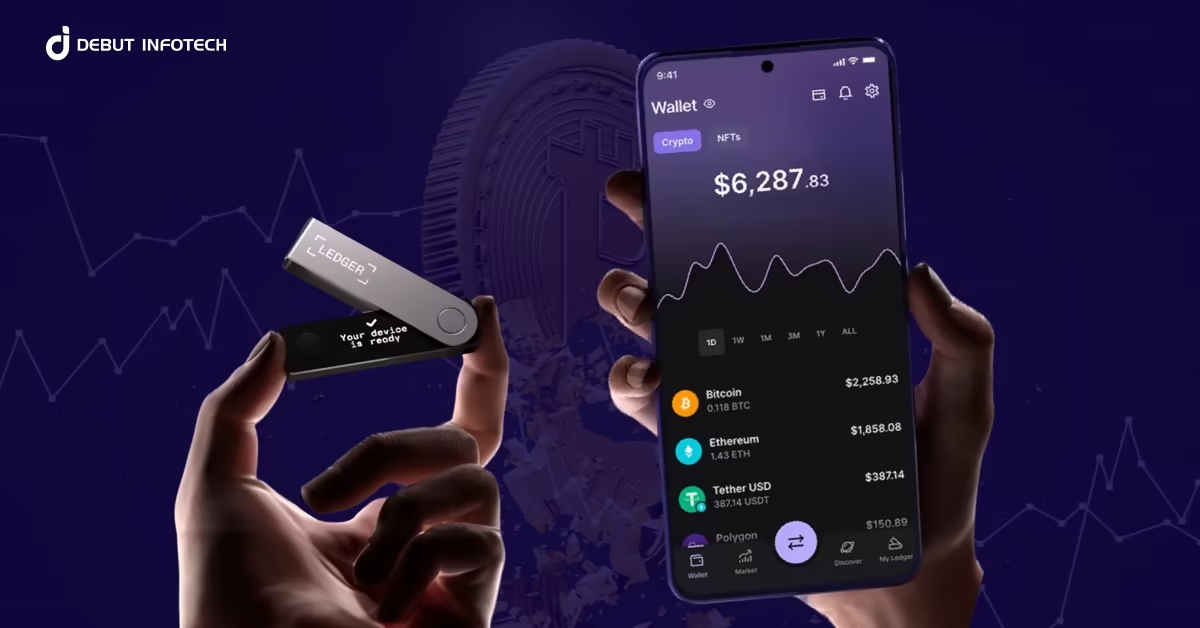
A hardware wallet is a physical device designed to store your private keys offline, isolated from internet-connected devices. Unlike software or web wallets, which can be vulnerable to malware or phishing attacks, hardware wallets never expose your keys online — meaning hackers can’t steal them remotely.
In simple terms:
- Your private keys (the cryptographic codes that prove ownership of your assets) stay inside the device.
- Transactions are signed offline and then broadcast to the blockchain via your computer or phone.
Popular models in 2025 include:
- Ledger Nano X / Ledger Stax
- Trezor Safe 3
- BitBox02
- Keystone Pro
Each supports major cryptocurrencies and networks, including Bitcoin, Ethereum, Solana, and newer Layer-2s like Arbitrum and Base.
Why Use a Hardware Wallet?
The crypto industry has seen billions lost to hacks, exchange failures, and phishing scams over the past few years. Even in 2025, as exchanges improve security, centralized custody still poses risks — especially for long-term investors.
Here’s why hardware wallets remain essential:
- Offline storage (cold wallet): Your keys never touch the internet.
- Full ownership: You control your private keys — not an exchange or third-party.
- Phishing protection: Even if you connect to a fake site, the wallet requires physical confirmation for every transaction.
- Multi-chain support: Manage multiple crypto assets securely from one device.
In essence, hardware wallets give you the security of cold storage with the usability of modern crypto apps.
Step-by-Step: How to Set Up and Use a Hardware Wallet
1. Buy Directly from the Official Store
Only purchase your hardware wallet from the official manufacturer’s website or authorized retailers. Counterfeit devices can be tampered with and used to steal your crypto.
Avoid buying secondhand devices or ones sold on marketplaces like eBay or AliExpress.
2. Unbox and Initialize Your Device
Once you receive your wallet:
- Connect it to your computer or mobile device using the provided cable.
- Follow on-screen prompts or use the manufacturer’s companion app (e.g., Ledger Live or Trezor Suite).
- Choose “Set up as new device.”
You’ll then be asked to:
- Create a PIN code to secure access.
- Write down a recovery phrase — typically 12, 18, or 24 words generated by the device.
Important:
Write your recovery phrase on paper (never store it digitally) and keep it in a secure, offline location such as a safe. Anyone who has this phrase can access your crypto.
3. Install the Wallet Software
Each hardware wallet has companion software that serves as your management interface.
Examples include:
- Ledger Live for Ledger devices.
- Trezor Suite for Trezor wallets.
- BitBoxApp for BitBox02.
Through this software, you can:
- Check your balances.
- Send or receive crypto.
- Update firmware.
- Connect to dApps or DeFi platforms via integrations like WalletConnect or MetaMask.
4. Add Your Crypto Accounts
In the wallet software, you can add accounts for the blockchains or tokens you want to use (e.g., Bitcoin, Ethereum, Solana).
Each network will generate a public address where you can receive funds. This address can be shared safely — it’s like your digital bank account number, but your private keys remain safely offline inside the hardware wallet.
5. Receive and Send Crypto Securely
To receive crypto:
- Select the “Receive” option in the wallet app.
- Copy the address and use it to transfer funds from an exchange or another wallet.
To send crypto:
- Enter the recipient’s address and amount in the wallet app.
- The device will prompt you to physically confirm the transaction on its screen.
This ensures even if your computer is compromised, no one can send funds without your approval.
6. Keep Firmware Updated
Manufacturers regularly release firmware updates to fix bugs and improve security. Only update using official apps or websites. Never follow update links sent via email or social media — they may be phishing attempts.
Common Mistakes to Avoid
Even with a hardware wallet, mistakes can lead to irreversible losses. Here’s what to watch for:
- ❌ Losing your recovery phrase: There’s no password reset — if you lose it, you lose access forever.
- ❌ Entering recovery phrase online: Never type it on any website or app.
- ❌ Buying from unverified sellers: Fake hardware wallets can be pre-configured to steal your crypto.
- ❌ Skipping firmware updates: Outdated devices can have exploitable security flaws.
- ❌ Using near malware-infected devices: Only connect your wallet to trusted computers.
A good rule: if something seems suspicious — don’t approve it on your device
Advanced Use: Connecting Hardware Wallets to Web3
In 2025, hardware wallets are increasingly integrated with DeFi platforms, NFT marketplaces, and Web3 dApps.
You can connect your device to Web3 wallets like MetaMask, Rabby, or Phantom for enhanced security when interacting with decentralized applications. The process usually involves:
- Opening your browser wallet.
- Selecting “Connect Hardware Wallet.”
- Approving the connection physically on your device.
This allows you to trade, stake, or mint NFTs — all while keeping your keys safely offline.
The Future of Hardware Wallets
The hardware wallet landscape is evolving rapidly. By 2025, many devices support biometric authentication, Bluetooth connections, and touchscreen signing, making them more user-friendly than ever.
Future innovations on the horizon include:
- Account abstraction: Simplifying private key management through smart contract wallets.
- Multi-sig vaults: Shared security models for institutions or families.
- AI-assisted recovery: Secure, non-custodial backup solutions using encrypted key fragments.
The next generation of wallets aims to make crypto storage as intuitive as online banking — without compromising decentralization.
Conclusion: The Smart Way to Secure Your Crypto
A hardware wallet is more than just a device — it’s your digital vault in the decentralized world. As crypto adoption grows in 2025, the line between convenience and security is narrowing, but hardware wallets remain the most trusted safeguard for your digital wealth.
By learning how to use a hardware wallet properly — from secure setup and offline storage to regular maintenance — you take true ownership of your crypto journey.
In an ecosystem built on trustless technology, your private keys are your identity. Protect them, and your assets will stay safe — no matter what happens in the markets or on the web.