Key Takeaways
- Hardware wallets store crypto offline, protecting assets from hacks and phishing attacks.
- Setting up involves initializing the device, recording your recovery phrase, and connecting securely to manage funds.
- In 2025, modern wallets offer Bluetooth, mobile apps, and multi-chain support for easier use without compromising security.
Why Hardware Wallets Still Matter in 2025
In an age of rising cyber threats and high-profile exchange breaches, one rule remains constant: “Not your keys, not your coins.”
While centralized exchanges and browser-based wallets offer convenience, they also expose users to potential online risks. That’s why, even in 2025, hardware wallets remain the gold standard for crypto security — providing an offline, tamper-proof way to store digital assets.
Hardware wallets act as cold storage devices. They keep your private keys (the cryptographic codes that give access to your crypto) offline, away from internet-connected devices, ensuring your holdings are safe even if your phone or computer is compromised.
What Is a Hardware Wallet?
A hardware wallet is a small, physical device — similar in size to a USB stick — that stores your cryptocurrency’s private keys securely. Popular brands include Ledger, Trezor, Keystone, and SafePal, all of which support major blockchains like Bitcoin, Ethereum, and Solana.
Unlike software wallets that store keys on your computer or browser, a hardware wallet’s keys never leave the device. All transactions are signed internally, ensuring hackers can’t intercept or alter them.
This makes hardware wallets ideal for long-term storage or managing large crypto portfolios, while still allowing users to transact safely when needed.
Step-by-Step: How to Use a Hardware Wallet
Using a hardware wallet isn’t as complex as it sounds — but it requires care and attention, especially during setup. Here’s how to do it safely and effectively.
1. Purchase from an Official Source
Only buy hardware wallets directly from the manufacturer or verified resellers. Counterfeit or tampered devices pose a major security risk. Always check for packaging seals and official holograms.
2. Initialize the Device
When you power on your hardware wallet for the first time, it will guide you through initialization:
- Choose a PIN code (usually 4–8 digits).
- Generate your recovery seed phrase — typically 12, 18, or 24 words.
This seed phrase is your master backup key. Write it down on paper or metal (never store it digitally), and keep it in a secure location. If your wallet is lost or damaged, this phrase lets you recover your funds.
3. Connect to the Wallet Interface
Each hardware wallet has a companion app or browser interface:
- Ledger Live, Trezor Suite, or Keystone Companion App, for example.
Connect your device to your computer or smartphone via USB or Bluetooth, then follow the instructions to pair and verify your wallet.
The app lets you view balances, send and receive crypto, stake tokens, and manage assets — all while keeping private keys isolated within the device.
4. Add Your Cryptocurrencies
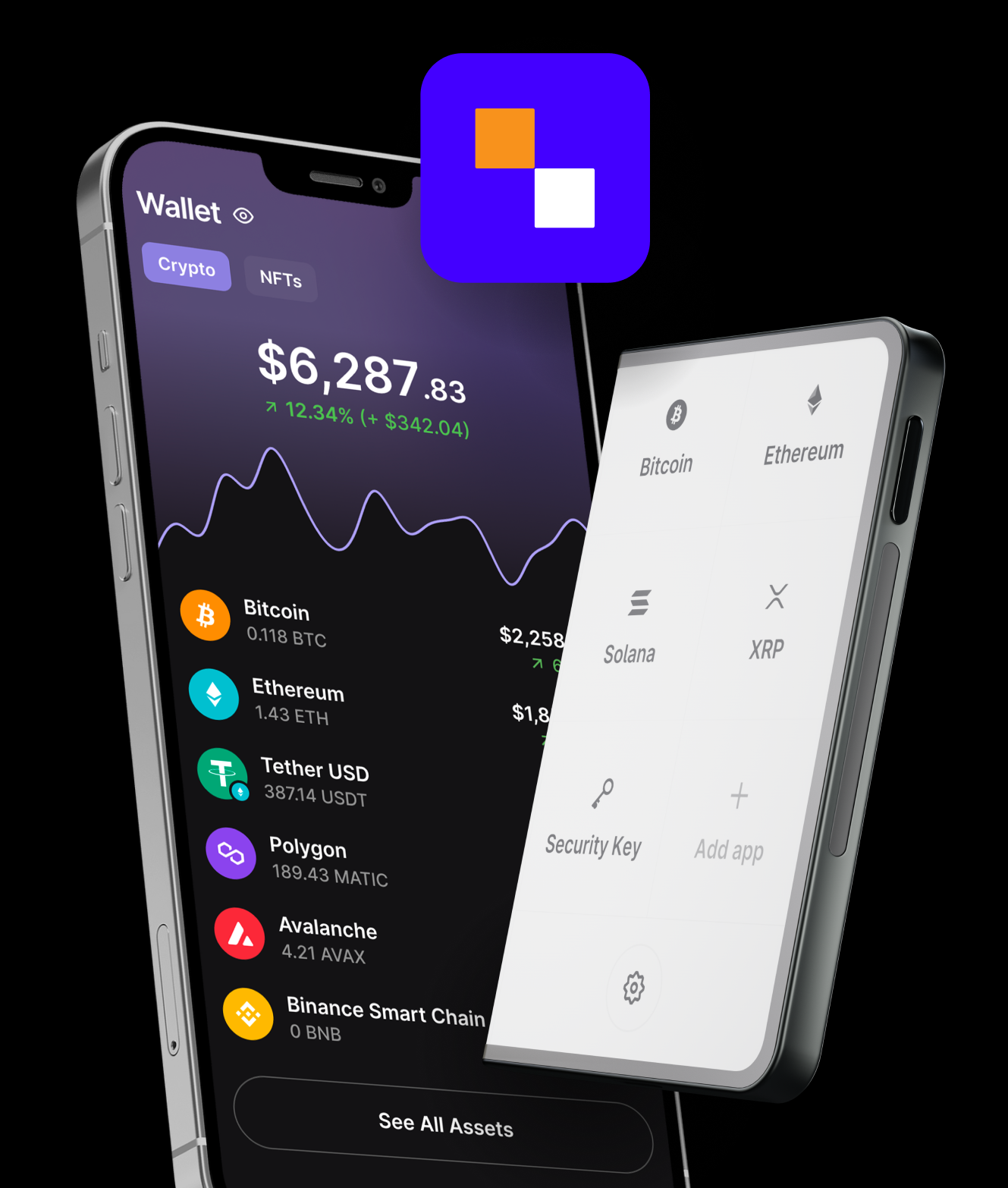
Once connected, you can install blockchain apps (e.g., Bitcoin, Ethereum, Solana) on your hardware wallet. Each crypto asset typically requires its own app.
Next, generate a receive address to send funds from an exchange or another wallet into your hardware wallet. Always verify the address on the device’s screen before confirming — this ensures it hasn’t been tampered with by malware.
5. Make Transactions Safely
When you send crypto, your device will prompt you to physically confirm the transaction by pressing buttons or tapping the screen.
This is one of the main safety features of a hardware wallet: no transaction can be approved without your manual input, protecting against unauthorized access.
Best Practices for Using a Hardware Wallet
Owning a hardware wallet is only half the equation — how you manage it determines your security. Follow these key guidelines:
- Never share your recovery phrase. No legitimate support team will ever ask for it.
- Keep firmware updated. Manufacturers release patches for new coins and vulnerabilities.
- Use a strong PIN code. Avoid repeating numbers or easily guessed patterns.
- Backup your recovery phrase in multiple secure locations. Consider using fireproof metal backups.
- Test your recovery process. Before storing large amounts, simulate a recovery on a secondary device.
By adhering to these steps, you ensure your funds remain fully under your control — offline, encrypted, and safe from intruders.
Modern Hardware Wallets: Smarter and Easier in 2025
Today’s hardware wallets have evolved significantly from the early USB models of 2017–2020. In 2025, new devices prioritize both security and usability.
- Bluetooth and mobile app integration allow seamless management via smartphones without exposing keys.
- Touchscreen interfaces make navigation easier and reduce human error.
- Multi-chain support lets users hold thousands of tokens, NFTs, and DeFi assets on one device.
- Passphrase encryption adds another layer of security, enabling “hidden” wallets within the same device.
These features have made hardware wallets accessible to both newcomers and seasoned investors alike.
Why Hardware Wallets Are Essential for Long-Term Investors
With the increasing institutionalization of crypto, from Bitcoin ETFs to tokenized assets, self-custody has never been more important. Centralized platforms — no matter how compliant — still carry custodial risk.
By using a hardware wallet, investors ensure true ownership of their assets, immune from hacks, exchange insolvencies, or government freezes. It’s the crypto equivalent of holding your own gold bars, not an IOU from a third party.
For anyone planning to hold crypto beyond a few months, a hardware wallet isn’t optional — it’s essential.
Conclusion: Your Keys, Your Crypto
Learning how to use a hardware wallet is one of the most valuable steps you can take as a crypto investor in 2025. It gives you full control over your assets, removes reliance on centralized entities, and dramatically reduces your exposure to online threats.
As blockchain adoption accelerates and digital assets become mainstream, self-custody through hardware wallets ensures that your crypto — and your financial freedom — remain truly yours.
Whether you’re storing Bitcoin, Ethereum, or NFTs, the rule still applies: keep it offline, keep it safe, and keep it yours.